

About Wikiwand
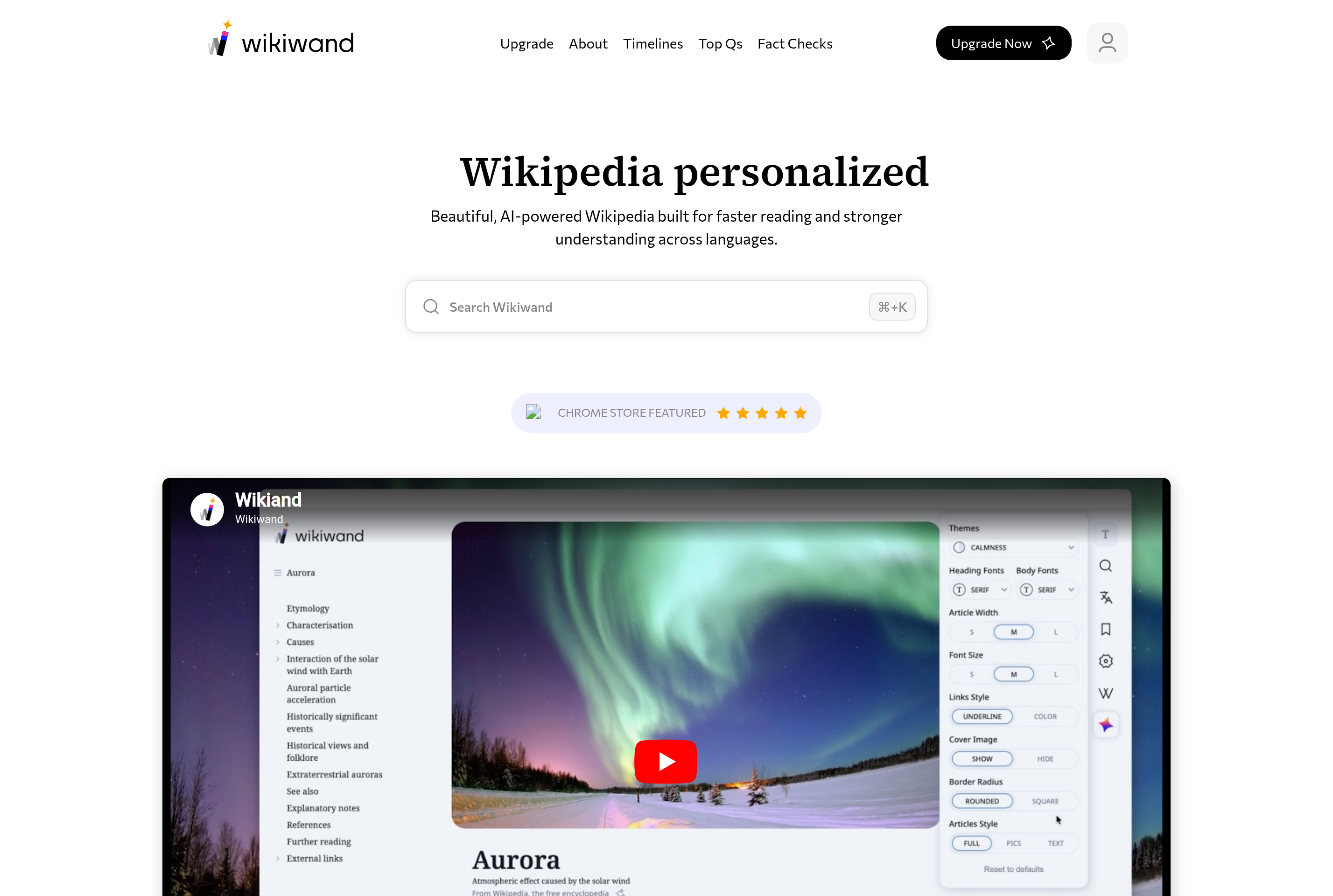
Wikiwand is a redesigned reading layer on top of Wikipedia. It pulls article content from Wikipedia and presents it with a modern typography, a sticky table of contents, larger images, and link previews on hover, aiming to make long encyclopedia articles easier to read.
Readers can switch between dark and light themes, adjust font size, and use a side preview that shows summaries of linked articles without leaving the current page. The browser extension automatically redirects Wikipedia links to the Wikiwand version, while the website also works as a standalone destination.
Wikiwand does not host its own articles; the content remains Wikipedia's, kept in sync with the source.
Key features
Modern typography
Cleaner fonts, spacing, and column widths make long Wikipedia articles easier on the eyes.
Sticky table of contents
A persistent TOC stays visible while scrolling so navigating long articles is simple.
Hover previews
Hover any internal link to see a summary card of the target article without leaving the page.
Dark mode
Switch to a dark theme for comfortable reading at night or in low-light environments.
Browser extension
Optional extensions automatically open Wikipedia links in Wikiwand's modern viewer.
Common use cases
- Reading long Wikipedia articles in a more comfortable layout
- Browsing related topics quickly with hover previews
- Using dark mode for late-night research sessions
- Replacing the default Wikipedia viewer in your browser via the extension
Install Wikiwand:
1. Make sure to choose the right OS and Browser in the config section above.
2. and don't hesitate to check it's content.
3. Paste the code in your termial of choice.
4. You can now find and use Wikiwand just like any other app on your OS! 🎉
App Configuration:
| Key | Value |
|---|---|
| Name | Wikiwand |
| Website | https://www.wikiwand.com/ |
| Developer | Wikiwand Ltd. |
| Category | EducationalApplication |
| Pricing | Free |
| Platforms | Web, Browser extension |
| Tags | news, tool |
Frequently asked questions
Is Wikiwand free?
Yes, Wikiwand is free to use. The service is supported by optional donations and partnerships.
Does Wikiwand replace Wikipedia?
No, content still comes from Wikipedia. Wikiwand only changes how articles are displayed.
Can I edit articles on Wikiwand?
Wikiwand provides links back to Wikipedia for editing. All editing happens on the original Wikipedia site.
Is there a browser extension?
Yes, Wikiwand offers extensions for Chrome, Firefox, Safari, and Edge that redirect Wikipedia links automatically.